Beaming Service for Samsung2.0.3
Publisher Description

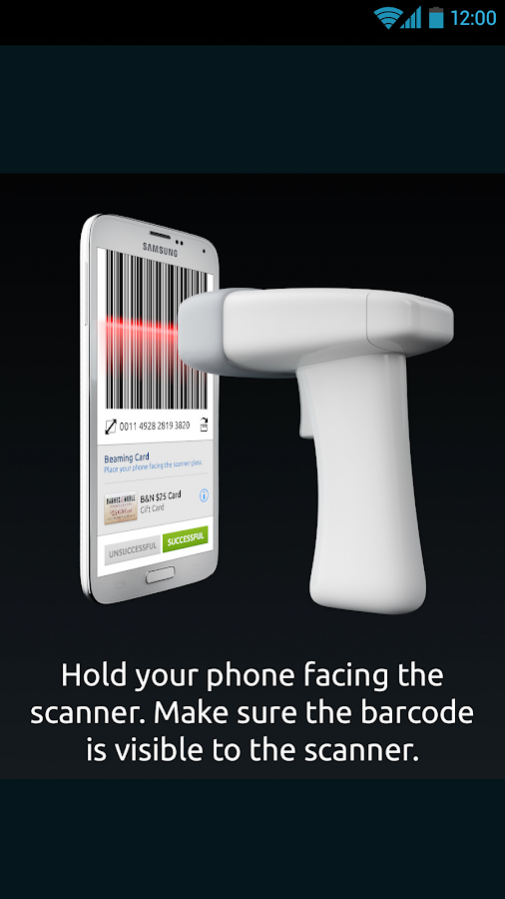
The Beaming Service, preinstalled by Samsung on your
Samsung Galaxy
device provides applications like
Beep'nGo
and others with access to the free barcode beaming feature built into these select new Samsung devices.
The Beaming Service enables your device to beam (relay) barcodes, as found on digital coupons, event tickets, library cards, loyalty cards and membership cards to 1D red laser and Image based scanners prevalent at nearly every retail store and checkout stand around the world. Use supported apps like
Beep'nGo
to upload your plastic loyalty, membership and gift cards directly to your supported Samsung device. These digital barcodes can then be shared from your device screen directly to handheld or flatbed scanners (checkout stands) found at your favorite stores.
Unless requested by an authorized application, this system lies dormant on the device and does not interrupt or hinder any other operation on the device.
About Beaming Service for Samsung
The company that develops Beaming Service for Samsung is Mobeam Inc.. The latest version released by its developer is 2.0.3. This app was rated by 1 users of our site and has an average rating of 4.0.
To install Beaming Service for Samsung on your Android device, just click the green Continue To App button above to start the installation process. The app is listed on our website since 2017-05-18 and was downloaded 409 times. We have already checked if the download link is safe, however for your own protection we recommend that you scan the downloaded app with your antivirus. Your antivirus may detect the Beaming Service for Samsung as malware as malware if the download link to com.mobeam.barcodeService is broken.
How to install Beaming Service for Samsung on your Android device:
- Click on the Continue To App button on our website. This will redirect you to Google Play.
- Once the Beaming Service for Samsung is shown in the Google Play listing of your Android device, you can start its download and installation. Tap on the Install button located below the search bar and to the right of the app icon.
- A pop-up window with the permissions required by Beaming Service for Samsung will be shown. Click on Accept to continue the process.
- Beaming Service for Samsung will be downloaded onto your device, displaying a progress. Once the download completes, the installation will start and you'll get a notification after the installation is finished.
Program Details
System requirements
Download information
Pricing
Version History
version 2.0.3
posted on 2017-05-18
- Performance improvements
- Bug fixes
version 1.3.7
posted on 2016-05-31
• Performance improvements
version 1.1.6
posted on 2014-10-21
Several fixes and updates
